
The Profit Settings page let you set default values used by the Profit Calculator across all ADESA Clear listings. These defaults apply automatically so you don’t have to re-enter your costs on every vehicle.
Note: Any costs you’ve manually edited on an individual listing will not be overwritten by changes to your Profit Settings.
Have feedback on this feature? You can submit that here and it will be reviewed by our product team. All feedback requests are reviewed!
How to Access Profit Settings
Navigate to your account settings and select Profit Settings, or open the Calculator on any ADESA Clear VDP and click “Update Calculator Settings.”
In your web browser, a live example calculator on the right side of the page shows how your settings affect the profit calculation in real time. This preview is not available on mobile devices, but all settings function the same way.
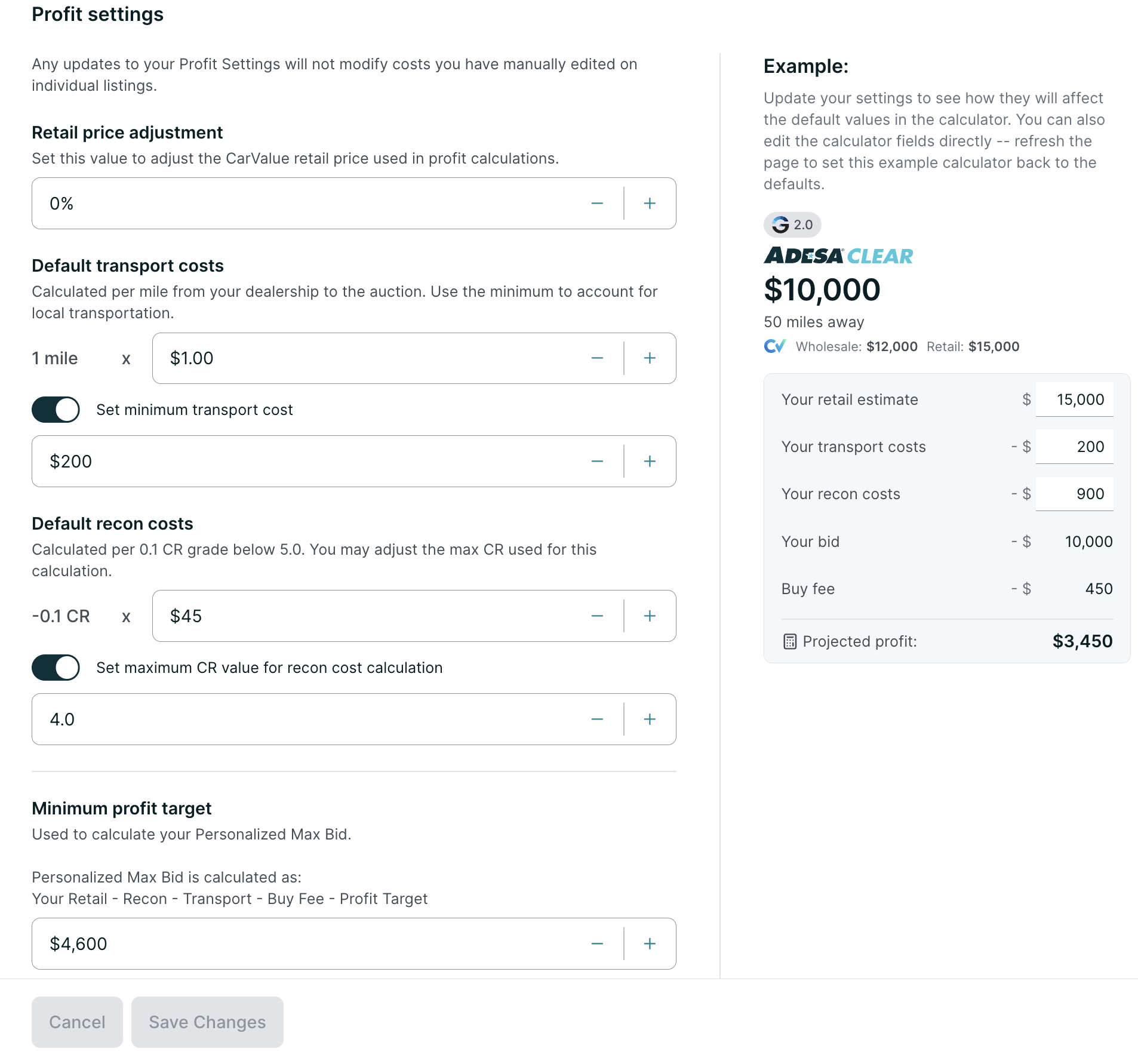
Using Settings
Retail Price Adjustment

Adjusts the CarValue retail price estimate up or down by a percentage. Use this if you consistently sell above or below the CarValue retail prediction.
- Setting 5% increases the retail estimate used in all profit calculations by 5%.
- Setting -5% decreases it by 5%.
- Default: 0%
Default Transport Costs
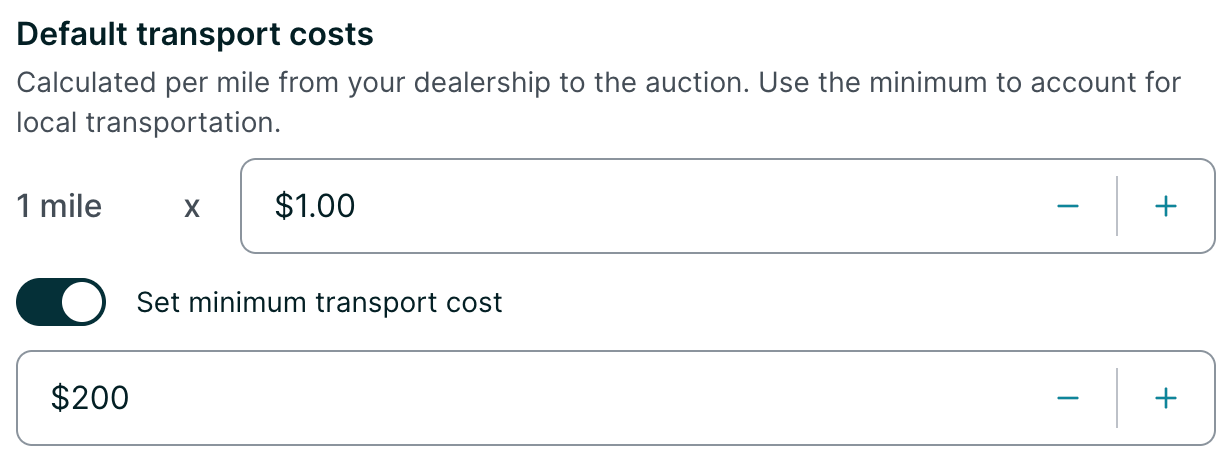
Estimates your cost to transport a vehicle from the auction to your dealership based on distance.
- Cost per mile: The dollar amount multiplied by the vehicle’s distance from your location. Default: $1.00/mile.
- Minimum transport cost: Optional. Sets a floor so that nearby vehicles still reflect a realistic transport expense. Toggle this on to set a minimum dollar amount for all transport costs.
Default Recon Costs
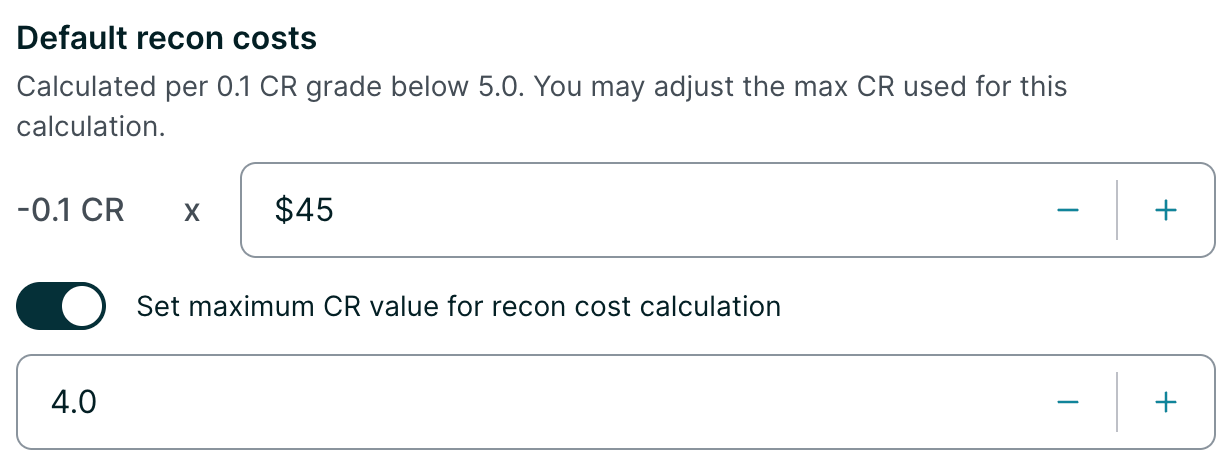
Estimates reconditioning costs based on the vehicle’s condition report (CR) grade.
- Cost per 0.1 CR below the max: For every 0.1 the CR grade falls below the maximum, this dollar amount is added to the recon estimate.
- Default: $40 per 0.1 CR.
- Maximum CR value: Optional. Sets the CR ceiling used in the calculation. For example, setting a max of 4.8 means a vehicle graded 4.8 or higher will have $0 in recon costs. Toggle this on to set a custom maximum.
- Default when enabled: 5.0.
Example: If a vehicle has a 4.5 CR grade, and your CR max is 4.8, then the recon cost would be calculated as:
(4.8 – 4.5) = 0.3, which is 3 increments of 0.1, so
3 x $40 = $120 in estimated recon costs.
Suggestion for how to use this feature:
1. Determine your average recon cost. This might be tracked in your DMS.
2. Determine your average vehicle CR grade purchased.
3. Divide your average recon cost by (5 – Average CR Grade) x 10
Example:
Average recon cost: $650
Average CR grade purchased: 3.0
5.0 – 3.0 = 2
2 x 10 = 20
650 / 20 = $32.50
In this example, you would set your recon default to $32.50.
Minimum Profit Target
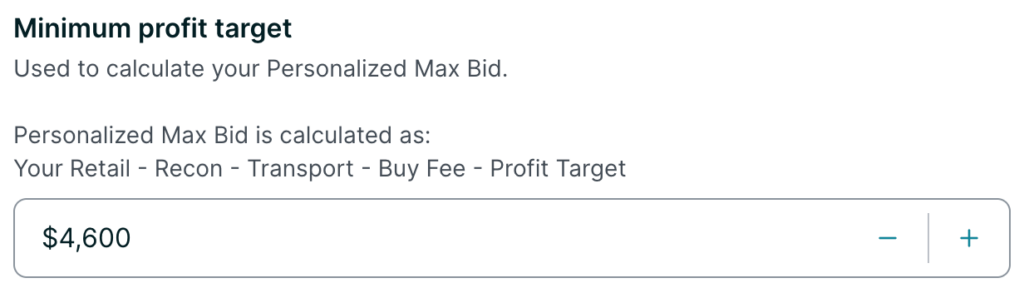
The minimum profit you want to make on a vehicle. This value is used to calculate your Personalized Max Bid, which appears on each listing above the bid input field.
Personalized Max Bid is calculated as:
Your Retail Estimate
– Recon Costs
– Transport Costs
– Buy Fee
– Profit Target
= Max Bid
Default: $2000
How The Calculator Buy Fee Works
The buy fee is determined by the auction and is automatically calculated based on your current bid amount. It is not configurable in Profit Settings. If you have a negotiated buy fee, note that the calculator uses the standard fee schedule and may not reflect your actual rate.
Saving Your Settings
After making changes, click Save Changes to apply your new defaults. Click Cancel to discard changes. Updated settings will apply to all future listings but will not overwrite any per-vehicle costs you have previously customized.
Frequently Asked Questions
-
Will changing my settings update vehicles I’ve already customized?
No. If you manually edit costs on a specific listing, those values are locked in and won’t change when you update your Profit Settings.
-
Where do I see the Personalized Max Bid?
It appears directly above the bid input field on each ADESA Clear listing. You can also click Edit next to it to quickly adjust your profit target for that vehicle.
-
Is there a recommended set of defaults?
Defaults are a starting point. We recommend adjusting them to reflect your actual transport rates, typical reconditioning costs, and profit goals.